
1. 7. 2025
Quick Guide To Resetting Uvi Desks
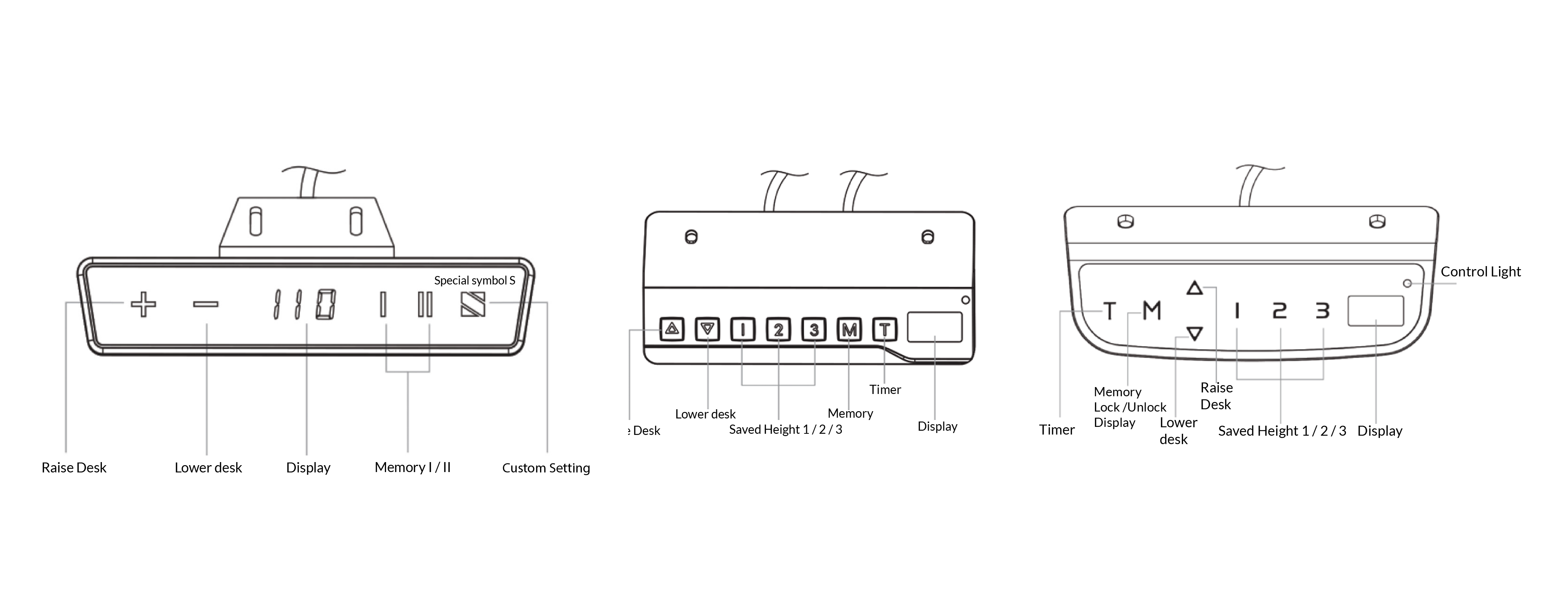
If you own a UVI electric sit-stand desk, this guide will help you quickly understand the basic functions and settings of your controller. Regardless of whether you’re using the LITE, DIGITAL, or SMART controller, you’ll find the key instructions for operating your desk below.
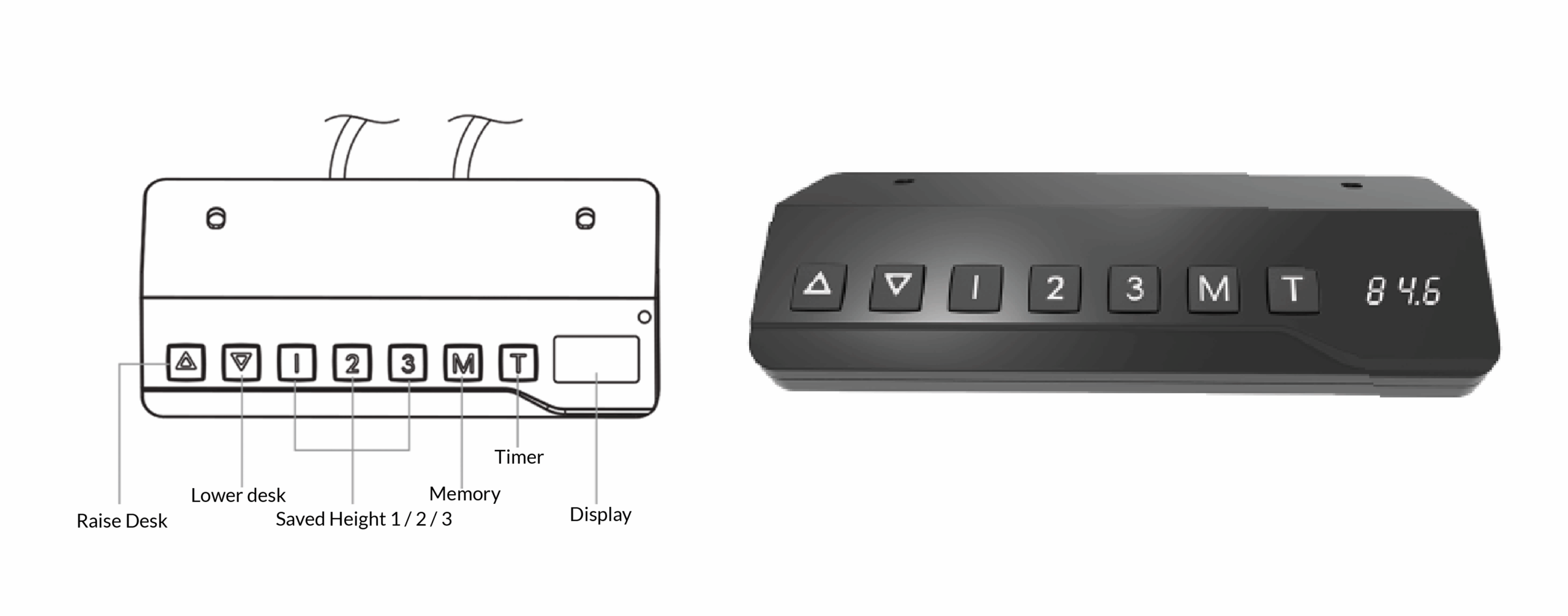
LITE CONTROLLER
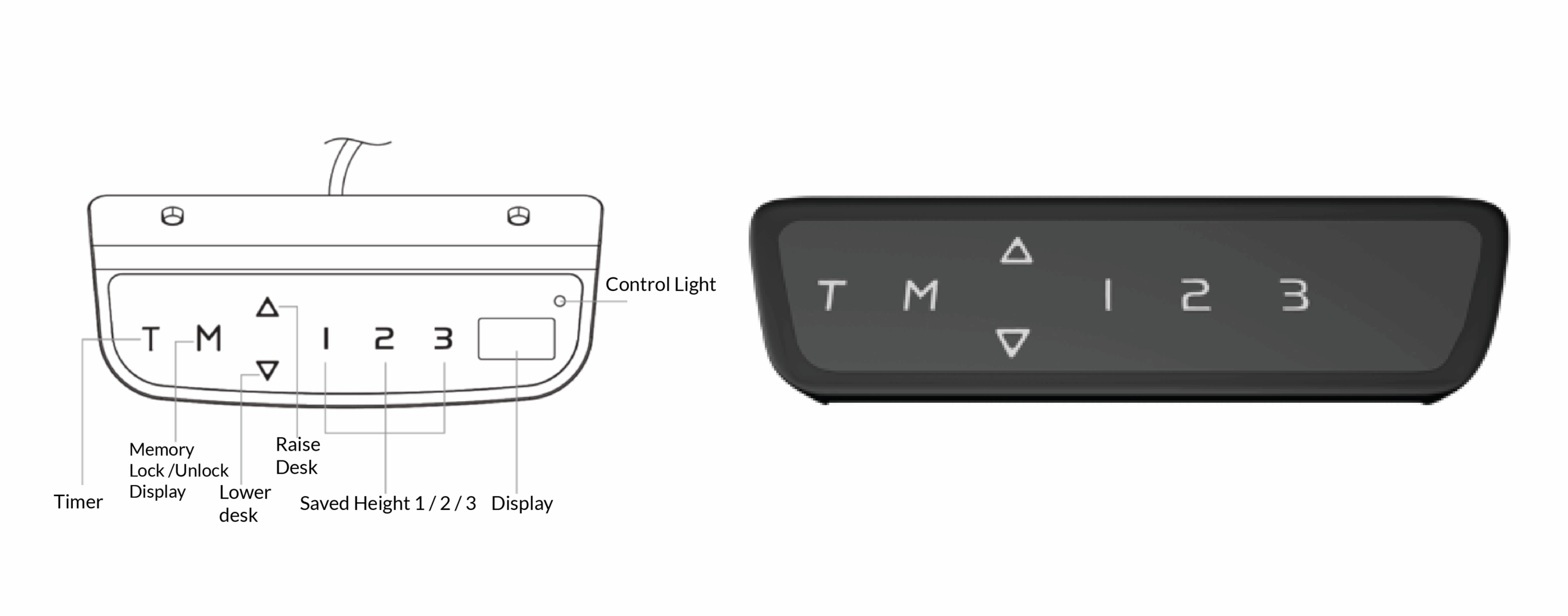
DIGITALNI LED CONTROLLER
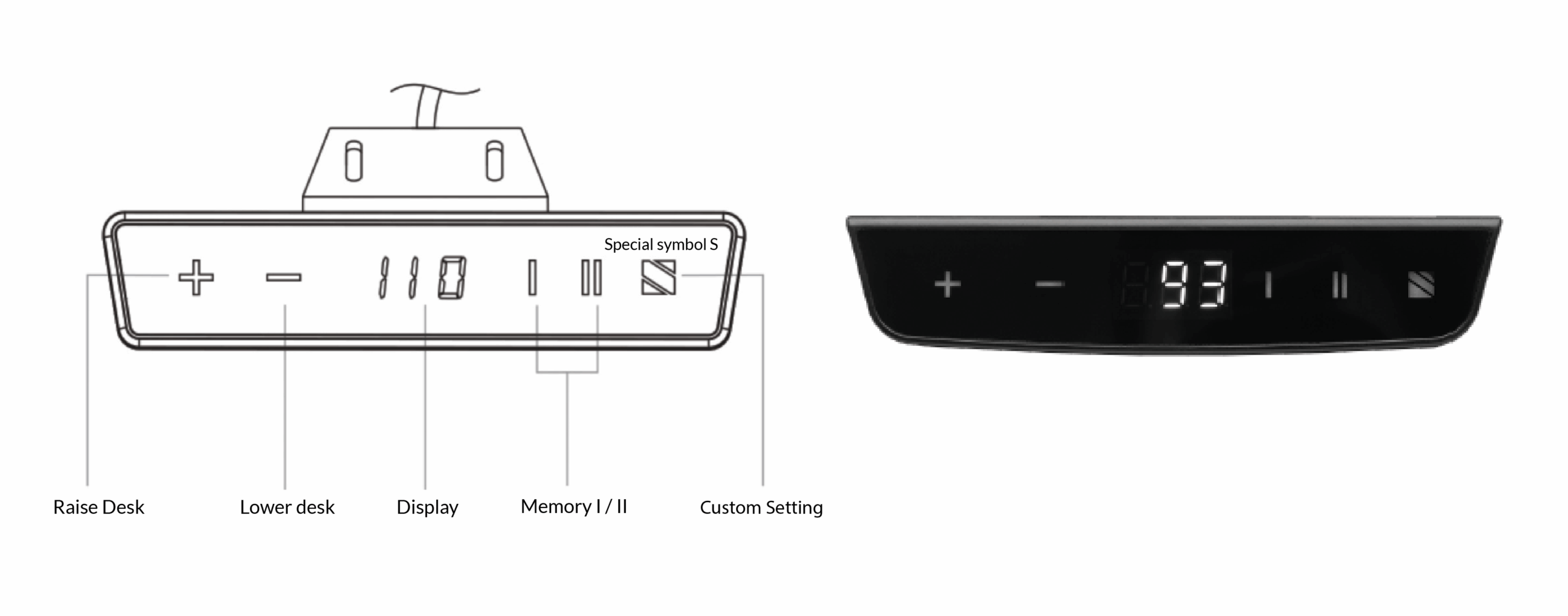
SMART LED CONTROLLER
1. Basic use of the Controller
• Upon startup, the screen will display the symbol x—o.
• Raising the desk: press and hold the ▲ or + (plus) button.
• Lowering the desk: press and hold the ▼ or – (minus) button.
• If the motor operates for more than 2 minutes continuously, a safety mode HOT activates – wait approximately 20 minutes to cool down.
2. Saving Preferred Heights (up to 3)
• Raise the desk to the desired height.
• Press the M (Memory) button or the special S symbol (on the SMART controller).
• Immediately press the number 1, 2, or 3 to save.
• When the screen displays the current height without symbols, the save is successful.
3. Timer
• Press the T or special S button to set the interval (0.5 h to 2 h).
• An alarm will sound when the interval ends.
• To disable the timer, press the T button 5 times in a row.
4. Changing Measurement Units
• LITE: hold the T button for 3 seconds.
• DIGITAL and SMART: hold the T or S button for 8 seconds.
• Repeat the procedure to return to the previous units.
5. Screen Lock (DIGITAL Controller)
• Press and hold the M + T button combination for 5 seconds (S-1 appears).
• Use ▲/▼ to scroll to S-7.
• Press M, select 0 (off) or 1 (on).
• Confirm with the M button.
6. Child Lock (SMART Controller)
• Hold the +(plus) button and the special S symbol until ‘Loc‘ appears.
• To unlock, hold the – (minus) button and the special S symbol again.
7. Advanced System Settings (DIGITAL and SMART Controller)
• Access by holding the M + T button combination for 5 seconds or the special S symbol.
• Codes and functions (e.g. min and max height, sensor sensitivity, calibration, lock):
Code | Function |
|---|---|
S-1 | Minimum height (62–118 cm) |
S-2 | Maximum height (72–128 cm) |
S-3 | Sensor sensitivity while raising (0–8) |
S-4 | Sensor sensitivity while lowering (0–8) |
S-5 | Tabletop thickness |
S-6 | Height calibration |
S-7 | Screen lock |
8. System Reset
• LITE and DIGITAL controller:
• While turning on, hold the ▼ button until “RST” appears.
• The desk will lower and slightly raise.
• When it stops, the reset is complete.
• SMART controller :
• Hold +(plus) and – (minus) for about 10 seconds until a beep and “000” appear.
• Hold the – (minus) button for another 5 seconds so the desk lowers slightly more s.
• When the height appears, release the button.
9. Troubleshooting
Code | Issue | Solution |
|---|---|---|
ER1 / E16 / E26 | Overload | Remove objects, unplug power for 10 seconds |
ER2 / HOT / E01 / E06 | Overheating | Wait 20 minutes to cool down |
ER3 / E11 / E21 | Electrical error | Disconnect cables, wait 10 seconds, reconnect |
ER4 / E03 | Voltage issue | Check power supply and remove overload |
ER5 / E41–E43 | Controller error | Contact technical support |
10. Additional Tips
• Regularly check screws (do not overtighten).
• Do not raise the desk above 128 cm without need.
• Check frame stability every 3 months.
• Keep small parts out of children’s reach.
• For indoor use only.
Contact
• Email: info@uvi.gg
• Phone: 070 388 288